Page Settings - Search Engine Optimization (SEO)
For all users
Updated Nov 2025
The Page Settings feature lets you control how your website appears in search engines and on social media platforms. With Oniva.io, you can customize page meta titles, meta descriptions, and preview how your site will look when shared, helping you attract more visitors and improve your site’s visibility.
How to find Page Settings
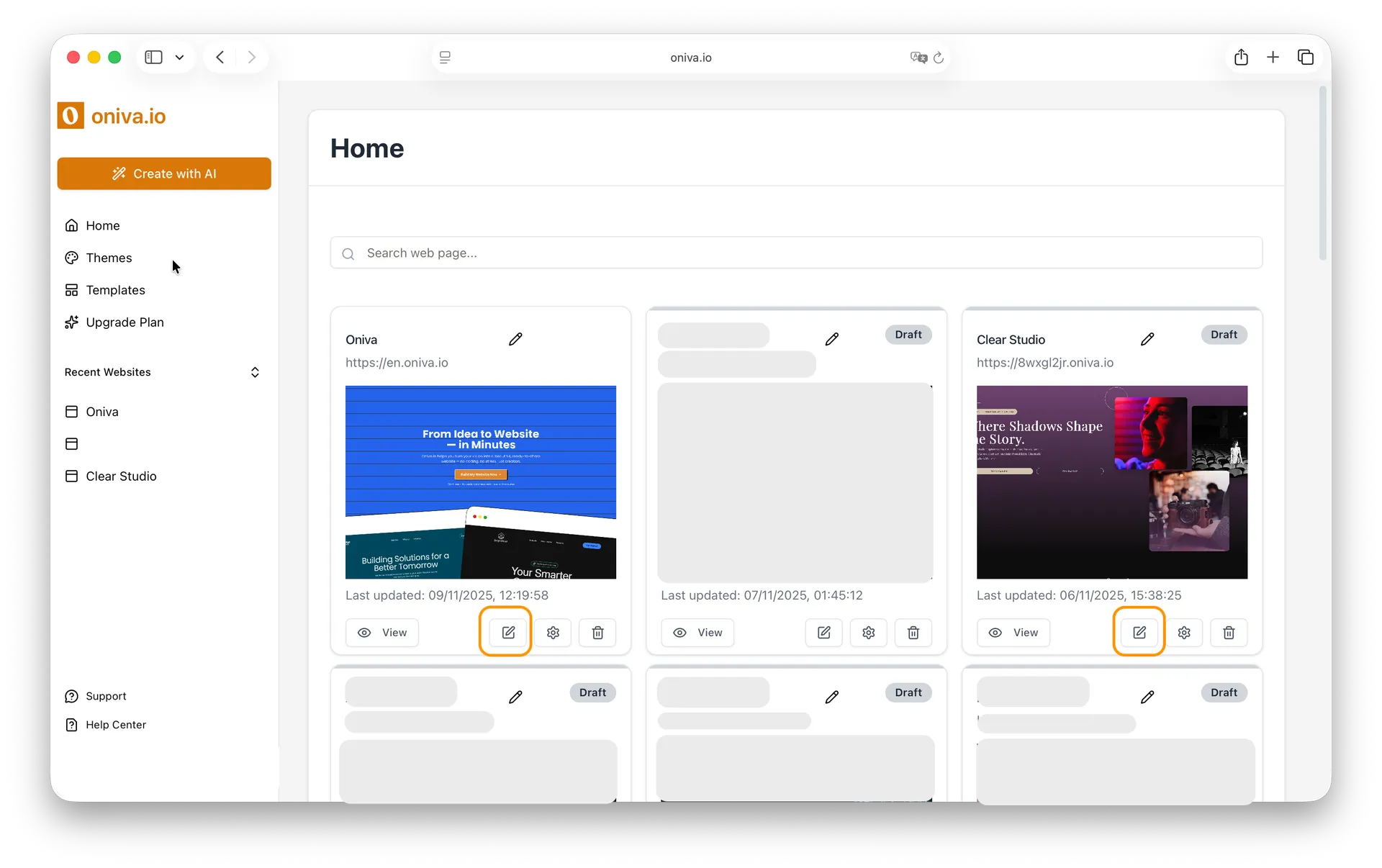
On your Home page, where all your projects are listed, find the website that contains the page you want to edit and click the Edit button.
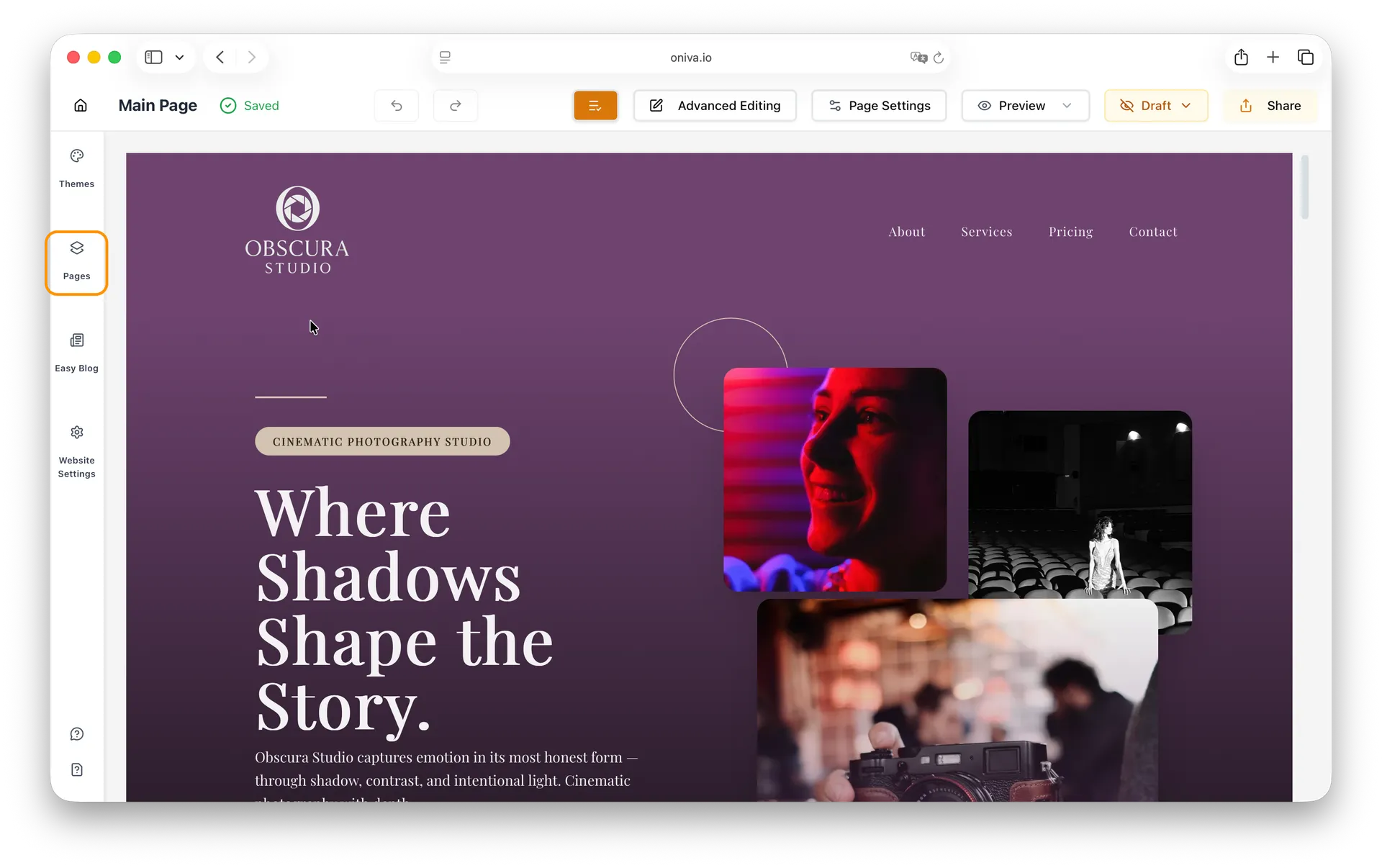
In the left sidebar, click the Pages menu to see all the pages of your website. Then select the page you want to edit.
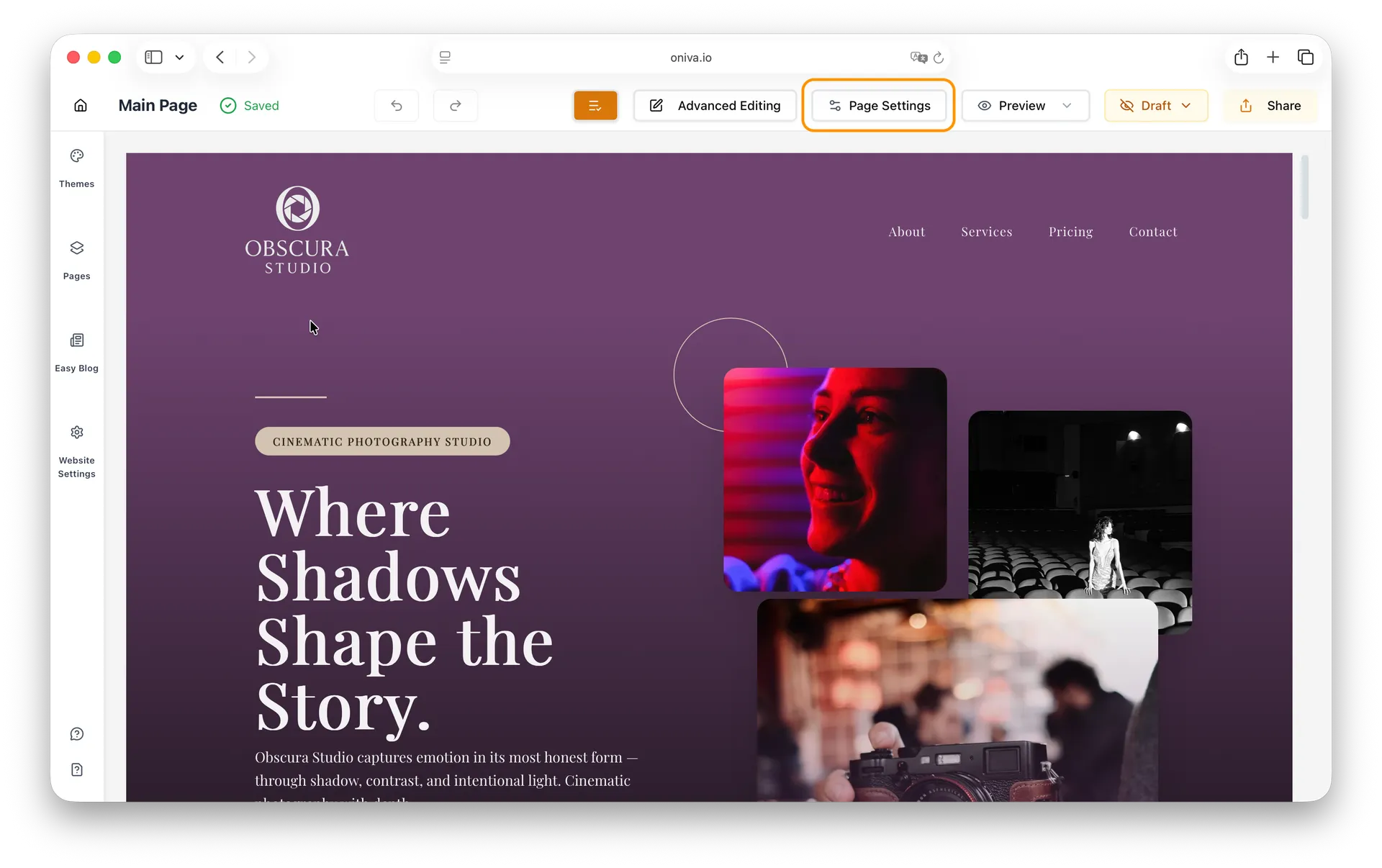
In the page editor header, click Page Settings.
How to configure SEO for each page of your website
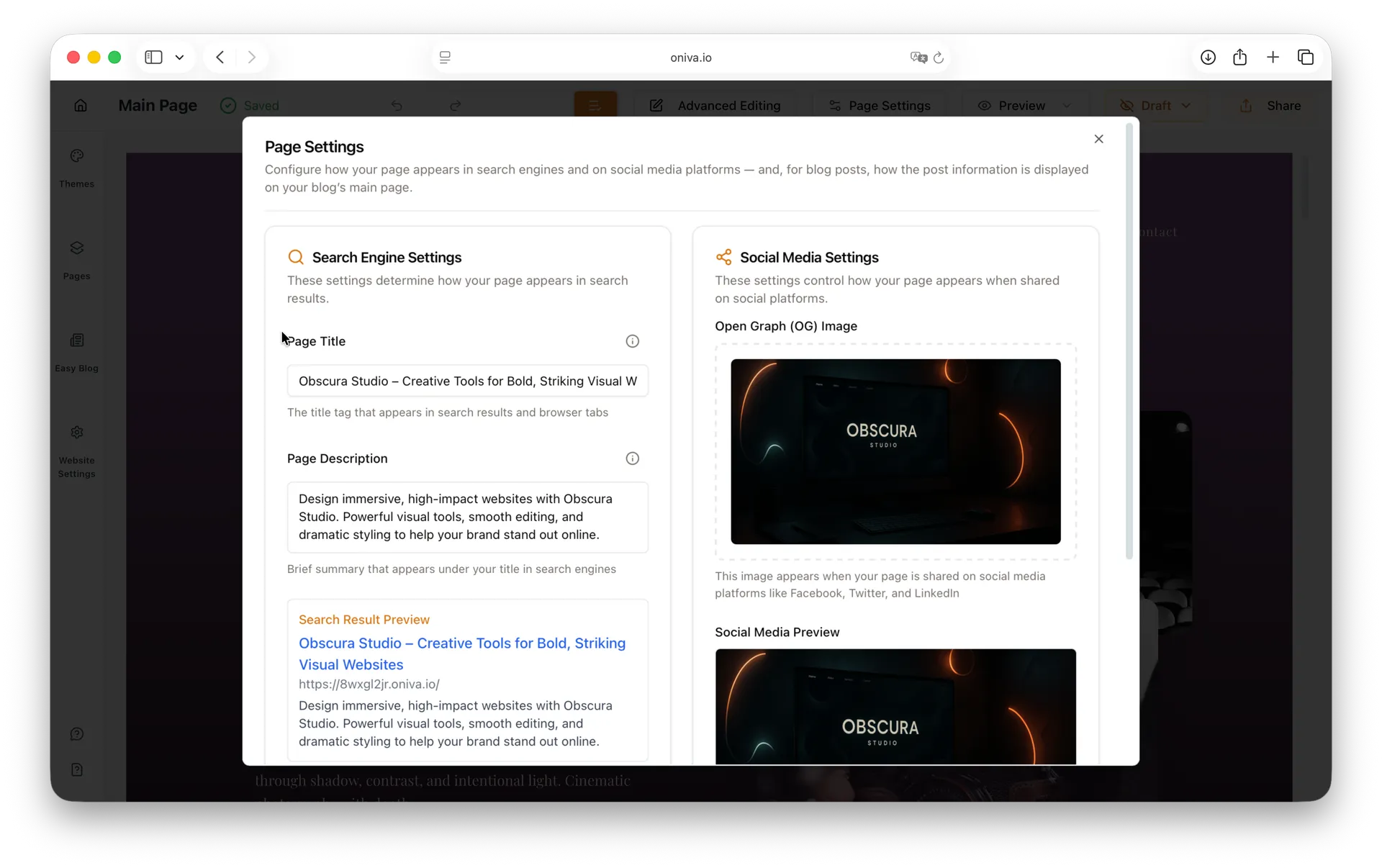
Before configuring SEO for each page, it’s important to understand what these settings control. The SEO meta title and meta description determine how your page appears in search engine results, while the OG (Open Graph) image is used when the page is shared on social media. Each page can have unique settings, allowing you to optimize every page individually.
1- Write the SEO meta title (page title)
The SEO title is what appears in search engine results and in browser tabs. Make it concise and descriptive, ideally between 50 and 70 characters. Try to include your most important keyword near the beginning, and your brand name if it makes sense. For example: Artisan Bakery in Porto — Sweet Morning Bakery.
2 - Write the meta description
The meta description appears below the title in search engine results. Keep it short and compelling, ideally between 120 and 160 characters. Include a clear benefit or call to action, as well as a relevant keyword. Make sure each page has a unique description that accurately reflects its content.
3- Choose an OG (Open Graph) image
The OG (Open Graph) image is used when your page is shared on social media. Choose a high-quality, relevant image with a recommended size of 1200 × 630 px (1.91:1 ratio). This setting is optional, but adding an image can make your shared links more attractive and engaging.
5- Preview and save
Preview how the SEO title, meta description, and OG image will appear in search results and on social media first. If you’re happy with how they look, click Save to apply the changes. Repeat this process for each page you want to configure individually.